

Building a website that serves your community.
What a public safety website owes the people who use it: clear paths, current information, honest transparency, phone-friendly pages, accessibility and a plan for who keeps it up to date.
A GUIDE FOR FIRE, EMS AND LAW ENFORCEMENT
A website is infrastructure, not a brochure
Residents, prospective members and applicants all look to your website first. It is where they find a phone number, a permit, an event, a public document or a way to join. Social media can carry the daily news, but it is rented space, and your website is the one place you control. Most websites that let their communities down are not badly designed. They are organized around the agency instead of the visitor, they have gone stale, or nobody owns them. This guide walks through eight things worth checking. For each: what to ask, what a good answer sounds like, and what to look at more closely.
THE EIGHT THINGS
What your website owes the people who use it
1 OF 8
Is it organized around what visitors need to do?
Ask: Can a first-time visitor find the most common tasks in two or three clicks, without knowing how the agency is organized?
- A good answerMenus and pages use the words residents use, such as “Request an incident report” or “Join the department”. The homepage makes a few high-value actions obvious.
- Look closer ifNavigation mirrors the org chart, or the homepage tries to say everything at once: welcome messages, feeds, calendars and links to every page.
2 OF 8
Is emergency guidance clear, and honest about its limits?
Ask: Does every page make it plain to call 911 in an emergency? Does the site avoid implying that forms or inboxes are watched around the clock?
- A good answerThe 911 instruction is visible within seconds. Practical guidance, such as burn permit rules, road closures or how a notice works, is easy to find. Forms say when to expect a reply.
- Look closer ifThe instruction sits below a slideshow, or a form suggests same-night help. Sensitive operational details are published without a reason.
3 OF 8
Is public information easy to find, and presented honestly?
Ask: Can residents find budgets, meeting agendas and minutes, key policies, records request steps and real contacts without calling anyone?
- A good answerThese items are in the places a newcomer would look. Records request instructions explain what is available, the cost and the typical timing. Contacts name a person or a monitored line.
- Look closer ifThe newest minutes are years old, the only contact is a general inbox nobody checks, or performance data is left out because it is not flattering. Residents may read silence as having something to hide.
4 OF 8
Does it show people, and give joining a real path?
Ask: Can a prospective member see the roles, requirements, training, time commitment and next step? Does someone follow up after a form is sent?
- A good answerA current path to apply, photos of actual members, and a clear explanation of what happens after someone responds. Fundraising, events and hall rentals each have their own page with the practical details.
- Look closer ifRecruitment is one sentence and a generic form, the pages show only apparatus, or advertising points to a broken application link.
TALK TO US
Want a second opinion on your own situation?
Tell us a little about your department and we will talk it through, whether or not we end up working together.
5 OF 8
Does it work on a phone, under real conditions?
Most visitors are holding a phone, often on a weaker connection. Test real tasks, not just whether the page shrinks.
Key tasks first
A phone number, address, event detail, form or notice is within easy reach, with tap targets large enough to use with a thumb.
Fast to load
Oversized images, autoplay video and many embedded feeds slow pages on a cellular connection.
Forms that finish
Fields are easy to tap, menus behave on a touchscreen, and progress is not lost if a call comes in.
Text-first emergency notices
Closures and evacuation notices load quickly without heavy images or unreliable widgets.
Realistic devices
Older phones and slower networks are common, especially among older and rural residents.
Tested outside the office
Try it on a real phone on a normal cellular connection, not office Wi-Fi.
Before you start
Complete every important form yourself, on your own phone, from start to finish. If it is frustrating for you, it is worse for someone in a hurry.
6 OF 8
Is it accessible to everyone, and what do the rules say?
Accessibility is part of serving the whole community, and for state and local governments it is also a legal topic.
A named standard
The U.S. Department of Justice rule under Title II of the ADA points to WCAG 2.1 Level AA as the technical standard for state and local government web content and mobile apps. We build to WCAG 2.2 AA, the current version.
Who is covered
The rule applies to state and local governments, including special purpose districts, which includes many fire districts.
Content from vendors
Content provided through a contractor or third-party platform is still the agency’s responsibility.
Beyond the public site
Staff-facing tools and applicant portals provided by the agency can be in scope too.
Narrow exceptions
Exceptions exist, such as archived content and certain older documents, but old PDFs that people still use to apply for services generally do not qualify.
Dates to confirm
The rule sets phased deadlines based on population, and they have been adjusted before. Confirm the current dates for your agency.
Before you start
A workable order: audit first, fix templates before individual pages, train everyone who adds content, and give priority to pages residents use most. The Department of Justice publishes plain-language resources on the rule. Read them directly rather than relying on summaries.
7 OF 8
Who keeps it current?
Ask: Is each section assigned to a named owner? Is there a review on the calendar? What happens to the content when a leader or staff member leaves?
- A good answerRecruitment, events, rosters and policies each have an owner. Time-sensitive sections are checked monthly and core pages quarterly. Handoff checklists cover leadership changes. Older material is labeled as archived, not left to compete with current pages.
- Look closer ifOne person does everything, an old event or a former leader’s message is still up, and nobody can say when a page was last reviewed. A smaller, current site beats a large one nobody has checked.
8 OF 8
Does the agency control its own website?
Ask: Who holds the domain registration, hosting and content accounts, payment accounts, analytics and form destinations? Can more than one authorized person get in?
- A good answerAll of these belong to the agency, in a documented list. Access uses individual accounts, multifactor sign-in and a shared password manager. Backups exist and renewal dates are written down.
- Look closer ifThe site was set up by a volunteer or small vendor years ago and nobody knows where the domain is registered or how to recover the administrator account. No single person should be able to take the site or its data with them.
A QUICK CHECKLIST
A quick check of your own site.
Walk through it the way a resident, an applicant and a member would.
The 911 instruction is visible on every page within seconds.
Menus are written around tasks and use residents’ words.
Contact information is current and names a real person or a monitored line.
Budgets, agendas, minutes and key policies are posted and up to date.
Records request steps explain what is available, the cost and the timing.
The recruitment page covers roles, requirements, training, time commitment and what happens next.
Someone follows up on every interest form within a reasonable window.
Fundraising, events and hall rentals each have a current, dedicated page.
Every important form has been completed on a phone, start to finish.
Pages have been tested on a cellular connection, not just office Wi-Fi.
An accessibility review against WCAG 2.1 AA has been planned or completed.
Every section has a named owner and a review date on the calendar.
Domain, hosting, admin and payment accounts belong to the agency, with more than one authorized person.
There is a checklist for handing off content when leadership or staff change.
RELATED
Related
Feature pages, other guides and posts that go with this one.
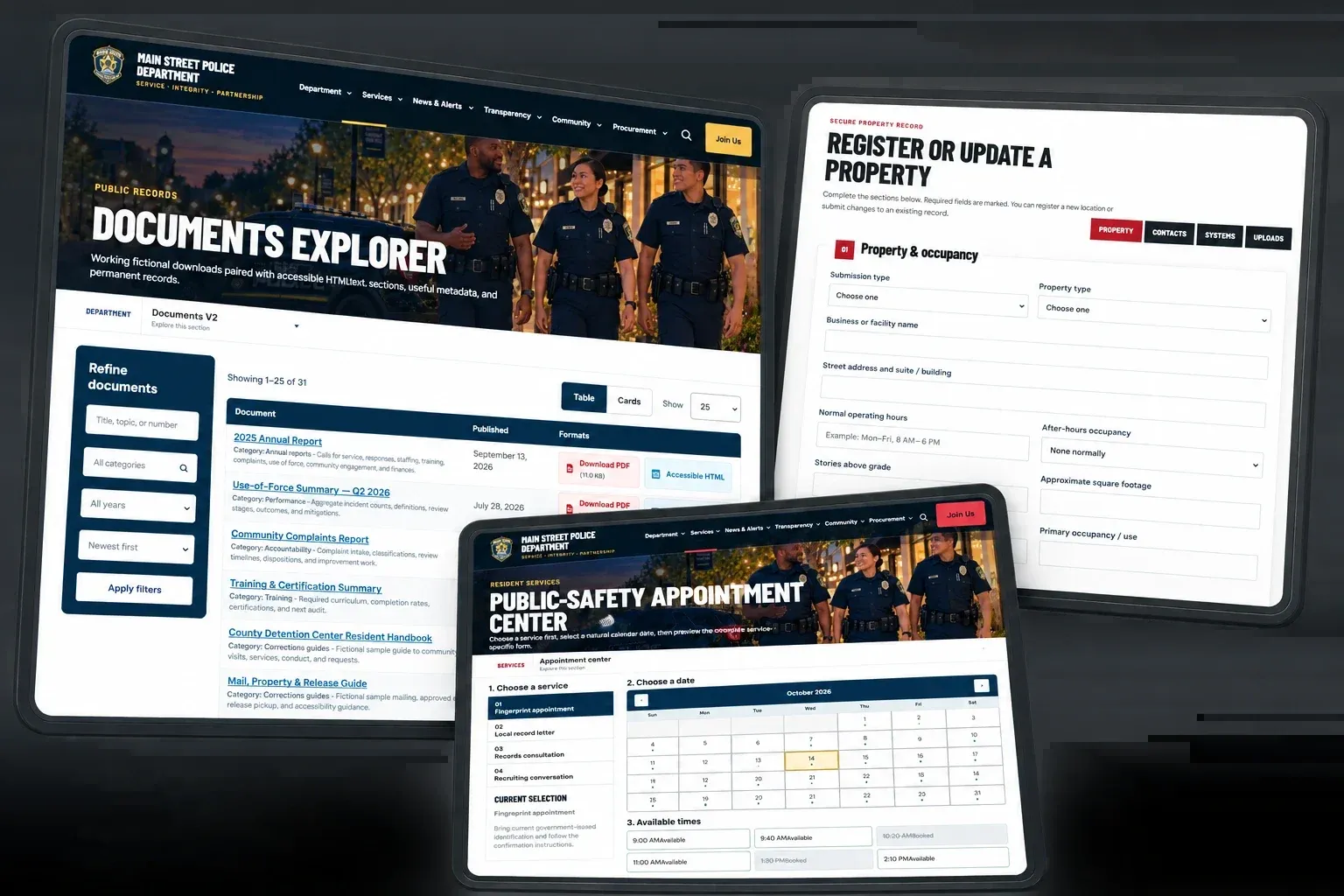
Accessibility and privacy
Feature: Built to WCAG 2.2 AA, with consent and analytics controls.Learn More Details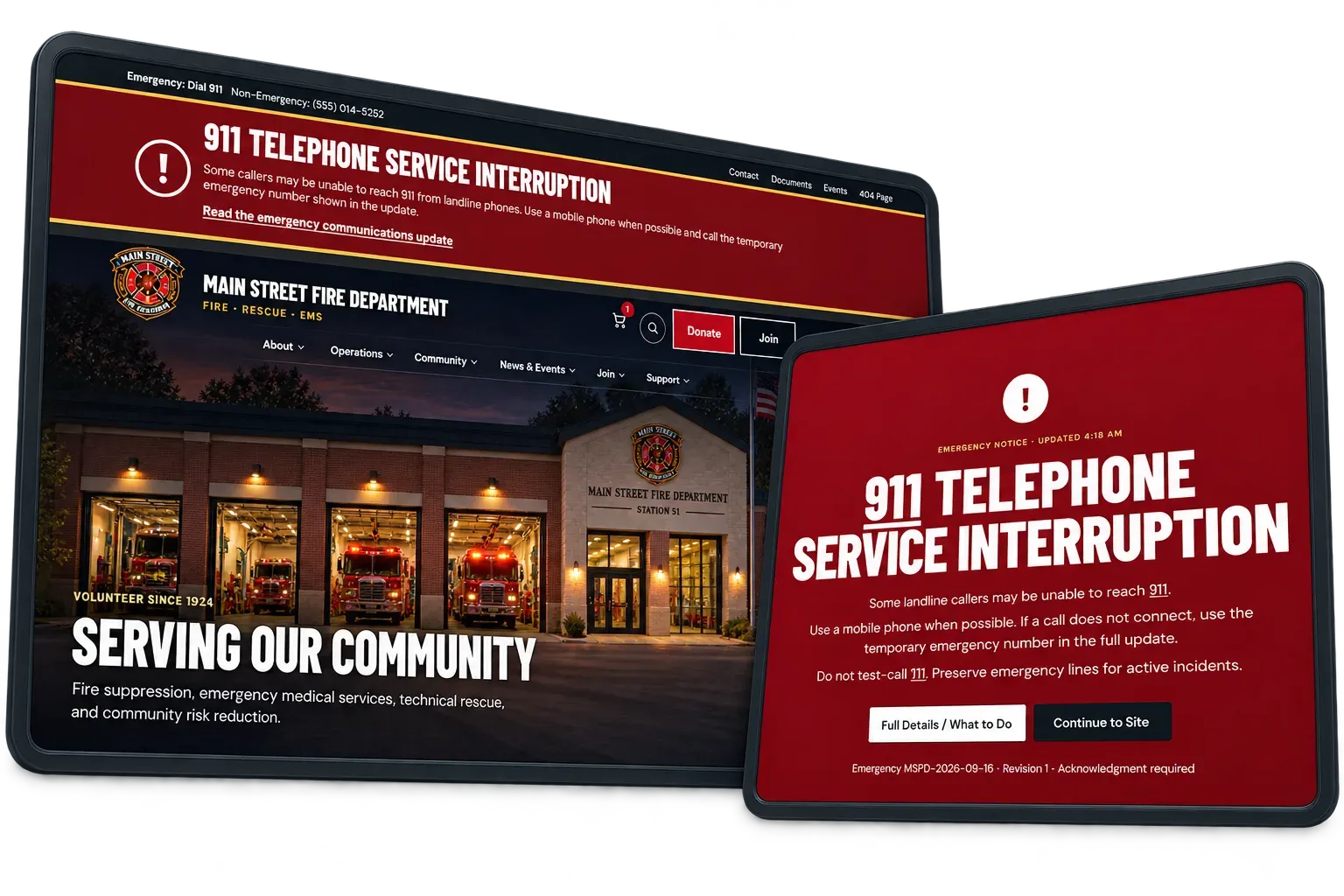
Alerts and emergency takeover
Feature: A banner for notices, a full-screen takeover for emergencies.Learn More Details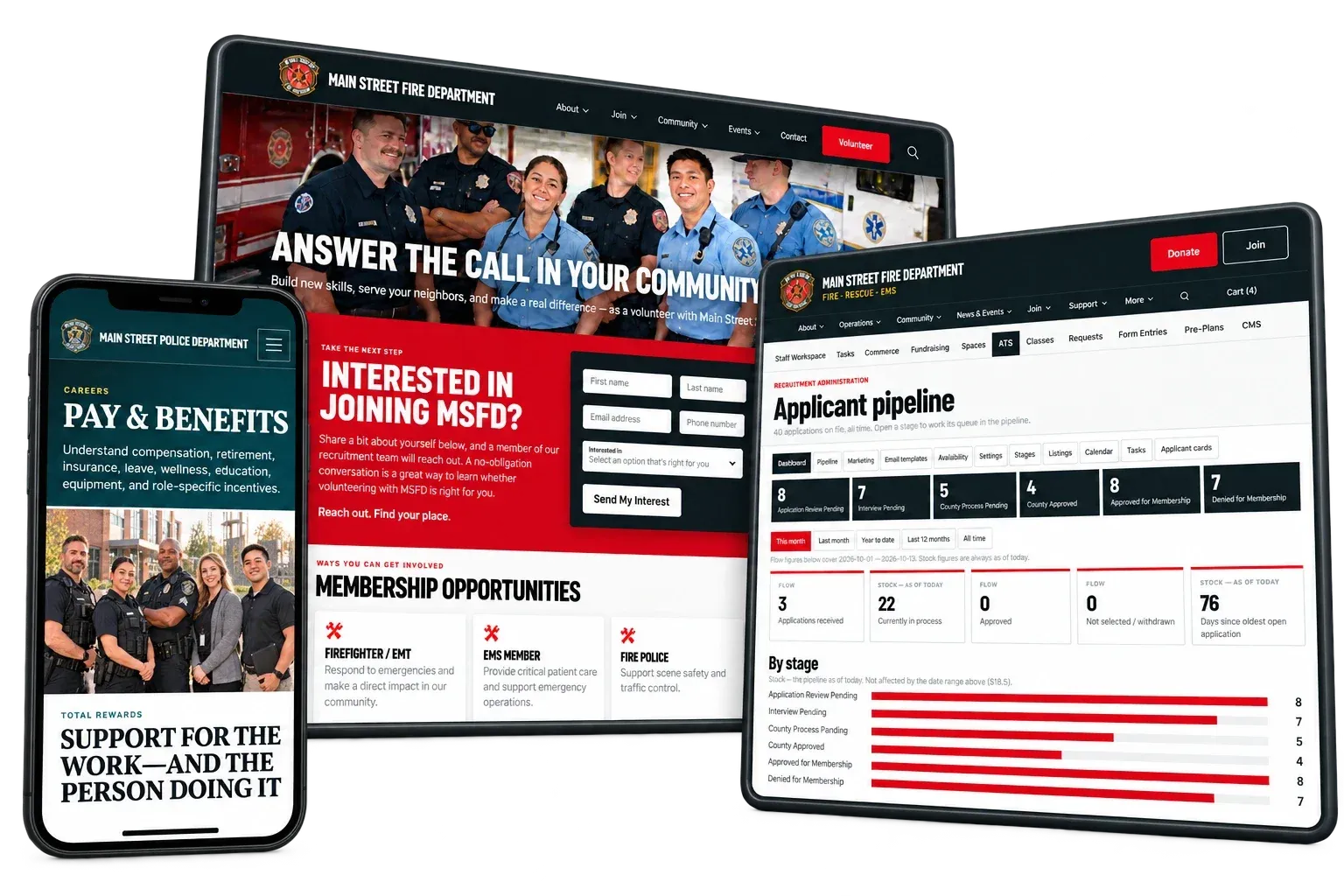
Recruiting
Feature: Listings, applications, pipeline and applicant portal.Learn More Details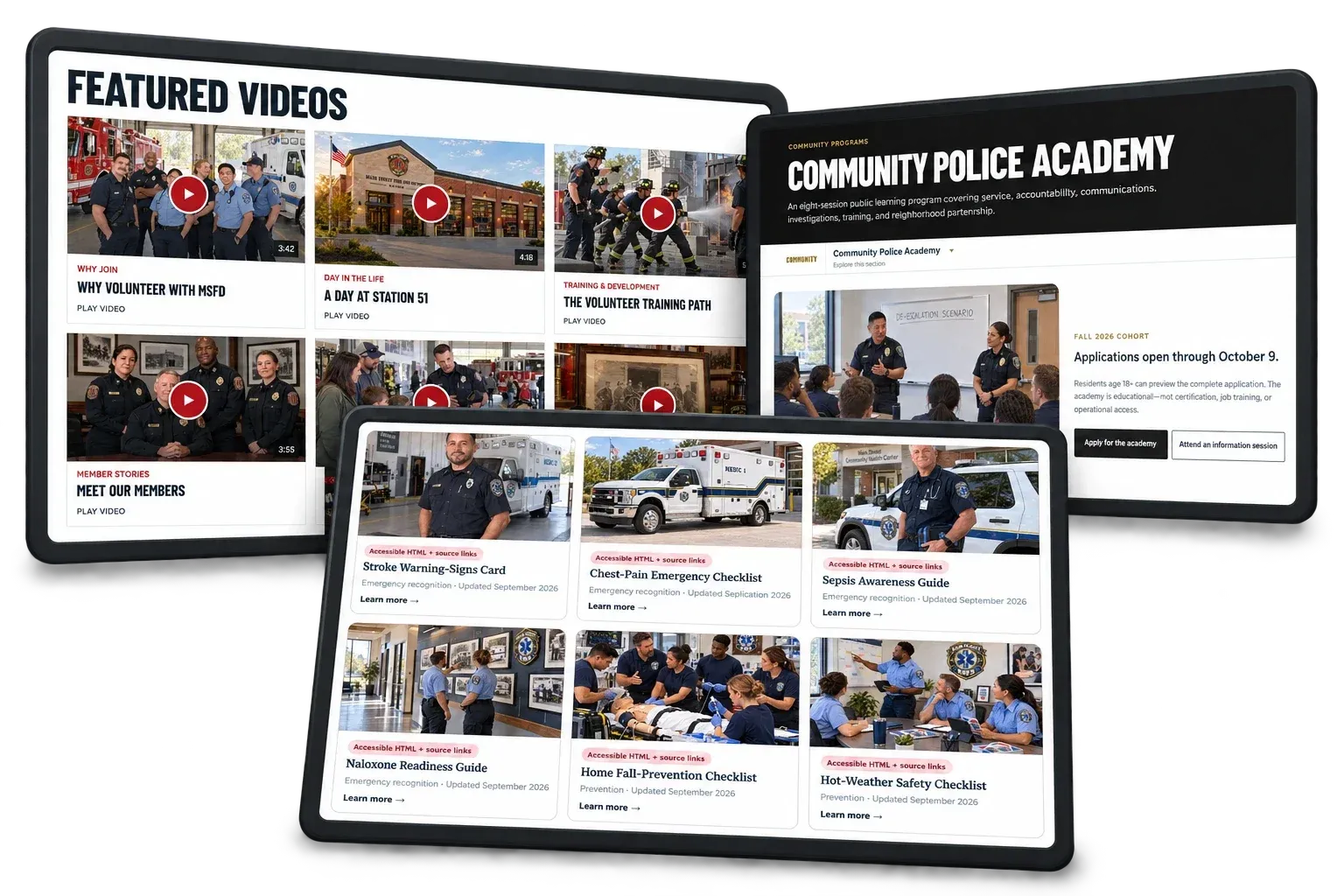
Events and calendar
Feature: Events with their own pages and calendar files.Learn More Details
WHERE WE STAND
What this looks like in practice.
We build websites for fire, EMS and law enforcement agencies. These pages describe how we approach the platform, security and accessibility.
Last updated October 2026
A note
This guide is general information, not legal advice. Accessibility rules, deadlines and public records requirements vary by jurisdiction and can change. Confirm your obligations with your agency’s attorney and the relevant authorities.
Questions about any of this?
We are happy to talk it through, whether or not we end up working together.
Contact us